
Disputes & Refunds
Opening a Dispute
While most transactions on Crypto Barter go smoothly, occasionally issues can arise. If you experience a problem with a transaction that you can't resolve directly with the other party, you can open a dispute. This guide explains when and how to file a dispute.
When to Open a Dispute
You may want to open a dispute if:
- Item not as described: The item you received is significantly different from the listing description or photos
- Item not received: You paid but the seller never delivered the item
- Seller no-show: The seller didn't show up to an agreed meetup
- Payment issues: There's a dispute about whether payment was sent or received
- Fraud or scam: You suspect fraudulent behavior
Before Filing a Dispute
We encourage users to try resolving issues directly first:
- Contact the other party through Crypto Barter messaging
- Clearly explain the issue and what resolution you're seeking
- Allow reasonable time for them to respond (24-48 hours)
- Try to reach a mutual agreement
Many issues can be resolved through direct communication without needing to involve the dispute process.
How to Open a Dispute
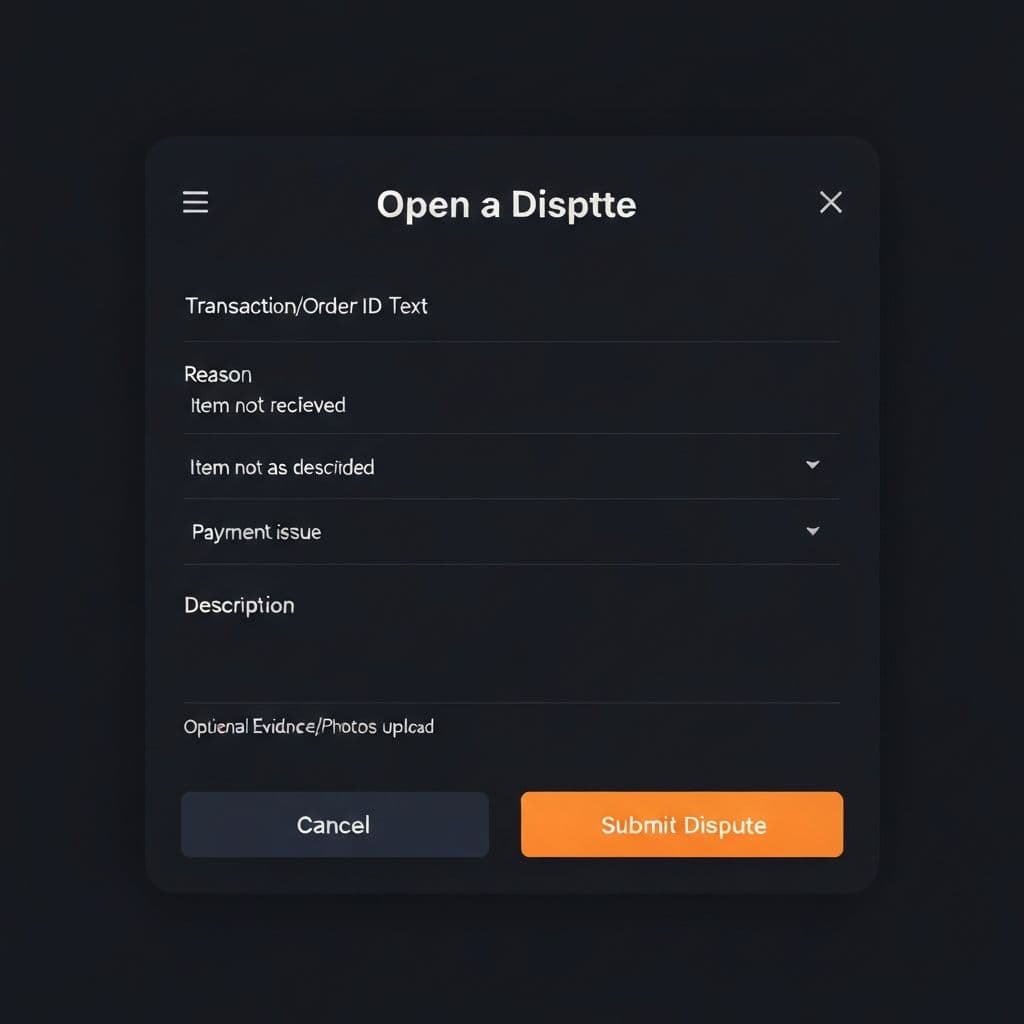
To open a dispute, follow these steps:
- Go to your Barter Control Center
- Find the transaction in question in your history
- Click "Report Issue" or "Open Dispute"
- Select the reason for your dispute from the dropdown
- Provide a detailed description of the issue
- Upload any supporting evidence (photos, screenshots of messages, etc.)
- Click "Submit Dispute"
What to Include in Your Dispute
Help us resolve your dispute faster by including:
- Clear description:Explain what happened in detail, including dates and times
- Evidence:Photos of the item received, screenshots of messages, transaction records
- Original listing details:Reference the original listing description and photos
- Communication attempts:Show that you tried to resolve the issue with the other party
- Desired resolution:What outcome are you seeking? (Refund, partial refund, etc.)
The Dispute Resolution Process
Here's what happens after you submit a dispute:
- Review: Our team reviews your dispute submission
- Notification: The other party is notified and given a chance to respond
- Investigation: We examine the evidence from both sides
- Decision: We make a determination based on the evidence
- Resolution: The dispute is resolved according to our policies
The process typically takes 7-14 days, depending on the complexity of the case and how quickly both parties respond.
Dispute Timeframes
- Filing deadline: Disputes must be filed within 14 days of the transaction
- Response window: The other party has 72 hours to respond
- Review period: Our team aims to resolve disputes within 7-14 days
- Appeals: You may appeal a decision within 7 days of resolution
Important Notes
- Be honest: Provide accurate information. False claims may result in account suspension.
- Keep records: Save all communication and documentation related to the transaction.
- Stay responsive: Check your email and messages for updates on your dispute.
- P2P limitations: Since Crypto Barter facilitates peer-to-peer transactions, our ability to recover funds depends on the specific circumstances.
Related Articles
- Refund Policies - Understand our refund guidelines
- Escrow Protection - Learn about protected transactions
Need Help?
If you have questions about the dispute process, please contact our support team. We're here to help ensure fair resolutions for all users.